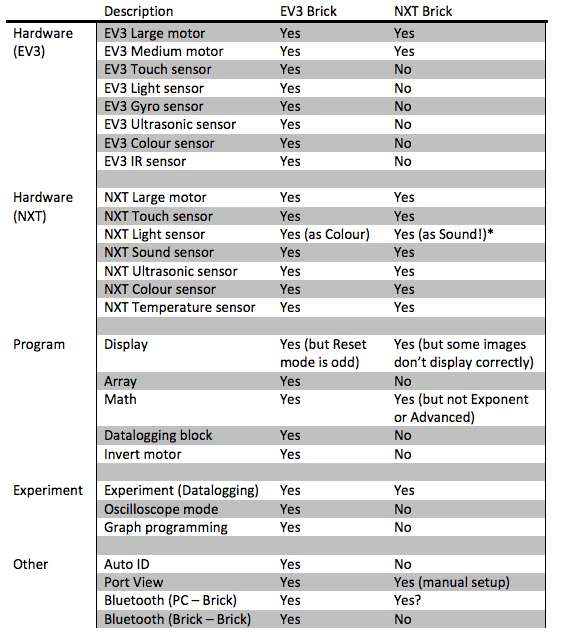
Here's a handy table to help you decide which of the many EV3 coding platforms will work for you!
| LEGO® Education EV3 Classroom V1.5.3 | LEGO® Education EV3 Classroom V1.4.2 | LEGO® Education EV3 Classroom Mobile App | VS Code (MicroPython with Pybricks) | Scratch 3.0 | Microsoft MakeCode | Open Roberta Labs | CS-STEM Network Virtual Robot | EV3 - Basic | ROBOTC | |
|---|---|---|---|---|---|---|---|---|---|---|
| Text-Based |  MicroPython MicroPython |
JavaScript |
Java |
Small Basic |
C or C++ |
|||||
| Blocks | Scratch Style Vertical |
Old LEGO Style Horizontal |
Scratch Style Vertical |
Scratch Style |
JavaScript |
|
||||
| Windows | Win10 v1803+, Win11 |
Win 7, 8, 10, 11 |
Win 10, 11 |
Available on Browser |
Available on Browser |
Available on Browser |
Available on Browser |
|||
| MacOS | Mojave 10.14+ |
10.6 – 10.14 |
MacOS 10.13+ |
Available on Browser |
Available on Browser |
Available on Browser |
Available on Browser |
|||
| ChromeOS | |
Available on Browser |
Available on Browser |
Available on Browser |
||||||
| Linux | |
|
Available on Browser |
Available on Browser |
||||||
| iPadOS | iPadOS 13.0+ |
|
||||||||
| Android (Tablets) | Android 7.0+ |
|
||||||||
| USB | |
|
|
|
No Hub Connection | |||||
| Bluetooth | |
|
|
|
|
|
No Hub Connection | |||
| Hub Simulation On Device | |
|
Simulation Only | |||||||
| No Additional Firmware for HUB | |
|
|
EV3 MicroPython image (MicroSD Card) | Hub must be updated to 1.10E | Hub must be updated to 1.10E | Hub must be updated to 1.10E | |
Firmware Download Needed | |
| Set Up Ease Rating (0–5) | 2–3 (depends on familiarity with installing software) |
2–3 (depends on familiarity with installing software) |
1 | 5 | 2 (4 if update is needed) |
2 (5 if update is needed) |
5 | 1 | 5 | 5 |
| Pros | Scratch Style Blocks are easy to pick up for students with experience with other Scratch Style Programs | Scratch Style Blocks are easy to pick up for students with experience with other Scratch Style Programs | VS Code is a professional grade programming software and has a lot of functionality. MicroPython is one of the easier programming languages to learn and has a lot of functionality. | Lots of Scratch-EV3 integration which can be fun for students that already know Scratch | Allows JavaScript code to be translated to block code and vice versa. Has a simulation of the hub and any sensors or motors that you use in your code. Is capable of using 2D Arrays in block coding or in JS. JS coding is as easy as block coding thanks to the sidebar with click-to-type lines of code. | Includes a simulation for a car robot | Easy Access. Scratch Style Blocks. No Hub Needed. Tutorials for Coding are built in. | Allows for more in-depth text-based coding than with block coding | ||
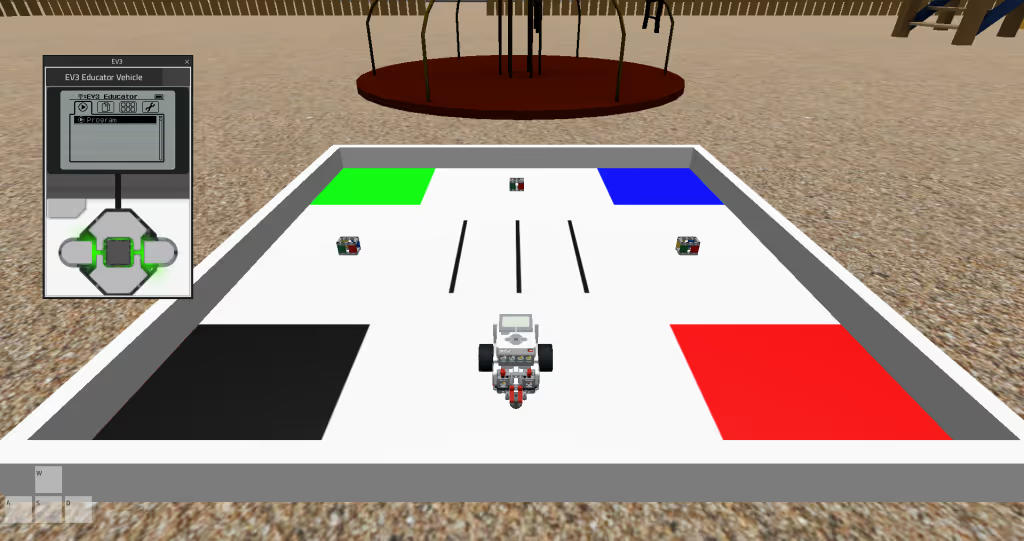
| Cons | No text-based coding | No text-based coding. Unintuitive blocks compared to the Scratch-based version. | No text-based coding. No USB connectivity. | Requires a lot more steps to set up. Higher barrier to entry. | Limited EV3 coding capabilities. Downloaded version works best but requires Scratch Link download. | Blocks are not as smooth to use as other block-based programs | Setup and user interface are different from other programs on this list. Connection instructions are hard to find and unclear. Simulation is only for a two-motor car robot. It is unclear where to find the code editor. | Can't change the robot in the simulation. Can't use the coding interface to program a real hub. | Unpopular coding language (Small Basic). Limited platforms. Difficult to set up. Limited resources. | Not recommended. Difficult user interface. Difficult to set up. Unintuitive and outdated user interface. |
.svg)